
Product demo or explainer video: choose the job first
Choose around what your buyer needs to understand or see. Compare three treatments of one fictional product workflow, then write a practical video brief.
 Words by Spring Studio
TL;DR
- An explainer clarifies an idea or value; a demo shows a product doing a specific job.
- Choose the evidence your viewer needs before choosing a visual technique or a running time.
- Brief the product truth, placement, access needs, approval, and future updates before production.
An explainer video helps someone understand an idea or its value. A product demo shows a product doing a specific job. A hybrid can introduce the situation and then demonstrate the part a buyer needs to see. These are useful working descriptions, rather than rigid industry definitions.
The better starting question is what the viewer still needs to understand. Someone may need a clear explanation of the problem. Someone else may already understand the offer and want to see how an approval step works. The same product can need different videos for those situations.
This guide covers recorded marketing videos for B2B and SaaS teams. An interactive product tour or a personalized live sales demonstration needs a different brief, even when the team calls it a demo.
Decide what the video must make clear
Start with one viewer in one situation. Write the question they bring to the video and what evidence would help them take the next step. “Show our platform” is too open to guide a script. “Show how a campaign request reaches the right approver” gives the team something specific to explain.
An explainer can connect the situation, the product’s role, and the reason to care. It can use a simplified visual story when the underlying idea matters more than the arrangement of controls. That simplification still needs to describe the product accurately.
A demo can show a starting state, meaningful actions, and the resulting state. Choose a workflow that answers the buyer’s question. A tour through every menu can leave the viewer with more detail and less understanding of the task they came to see.
Animation, screen capture, and live action are techniques. An explainer can include real interface footage; a demo can use animation to focus attention or show a transition. Choose the technique after agreeing what must be explained and what must be demonstrated.
The same fictional product, shown three ways
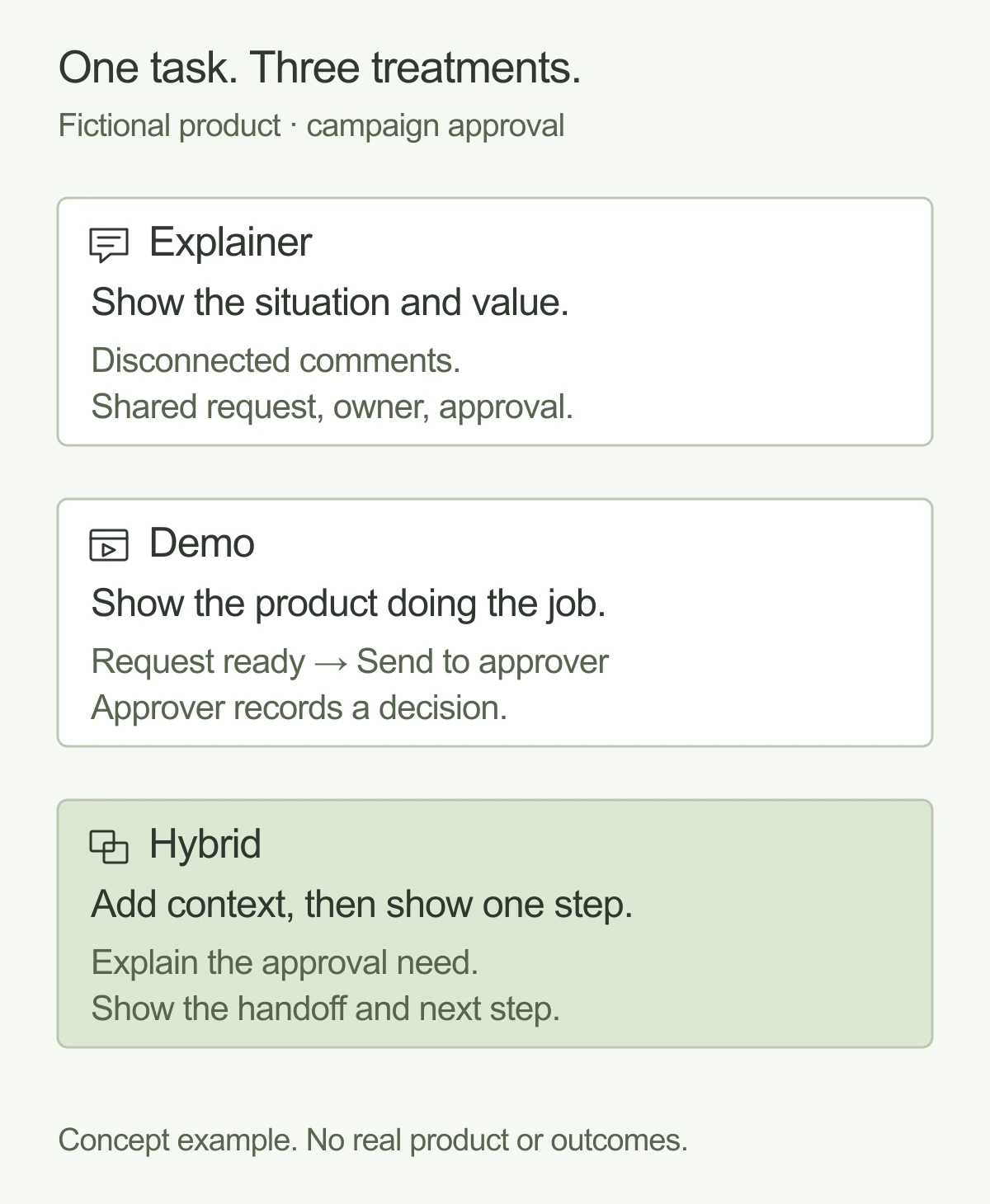
Imagine a fictional product where a marketing team assigns campaign work and sends it for approval. These story beats are concept examples.
An explainer treatment: make the situation understandable
Situation: a campaign request moves between separate messages, and nobody can see who needs to approve it. Product role: the request, assigned owner, and approval step appear together in one shared view. Closing idea: show the team where the work is and which decision is next.
The visuals could begin with disconnected comments and then bring the request and decision into a single composition. The script would explain the relationship between those pieces. It would not need to show every control or imply that a polished concept screen is a working interface.
A demo treatment: show the approval handoff
Starting state: a completed campaign request is ready for review. Action: its owner chooses an approver and sends the request. Resulting state: the review appears with the designated approver, who records the decision. Keep the labels and important state changes readable.
For a real product, verify each step against the version you plan to show. Use authorized screens and safe sample data. If the workflow cannot yet be demonstrated, agree whether a clearly labeled concept explanation is appropriate instead of making an invented interface look like a shipped feature.
A hybrid treatment: connect the question with the proof
Context: introduce the uncertainty about who approves the campaign. Focused demonstration: show the request moving from its owner to the approver. Close: return to the question and show the resulting decision state, with a relevant next step for the viewer.
A hybrid is useful when the viewer needs both context and product evidence. It still needs a clear scope. Combining an entire brand story with a comprehensive interface tour can leave both jobs underexplained.
Compare the evidence each treatment needs
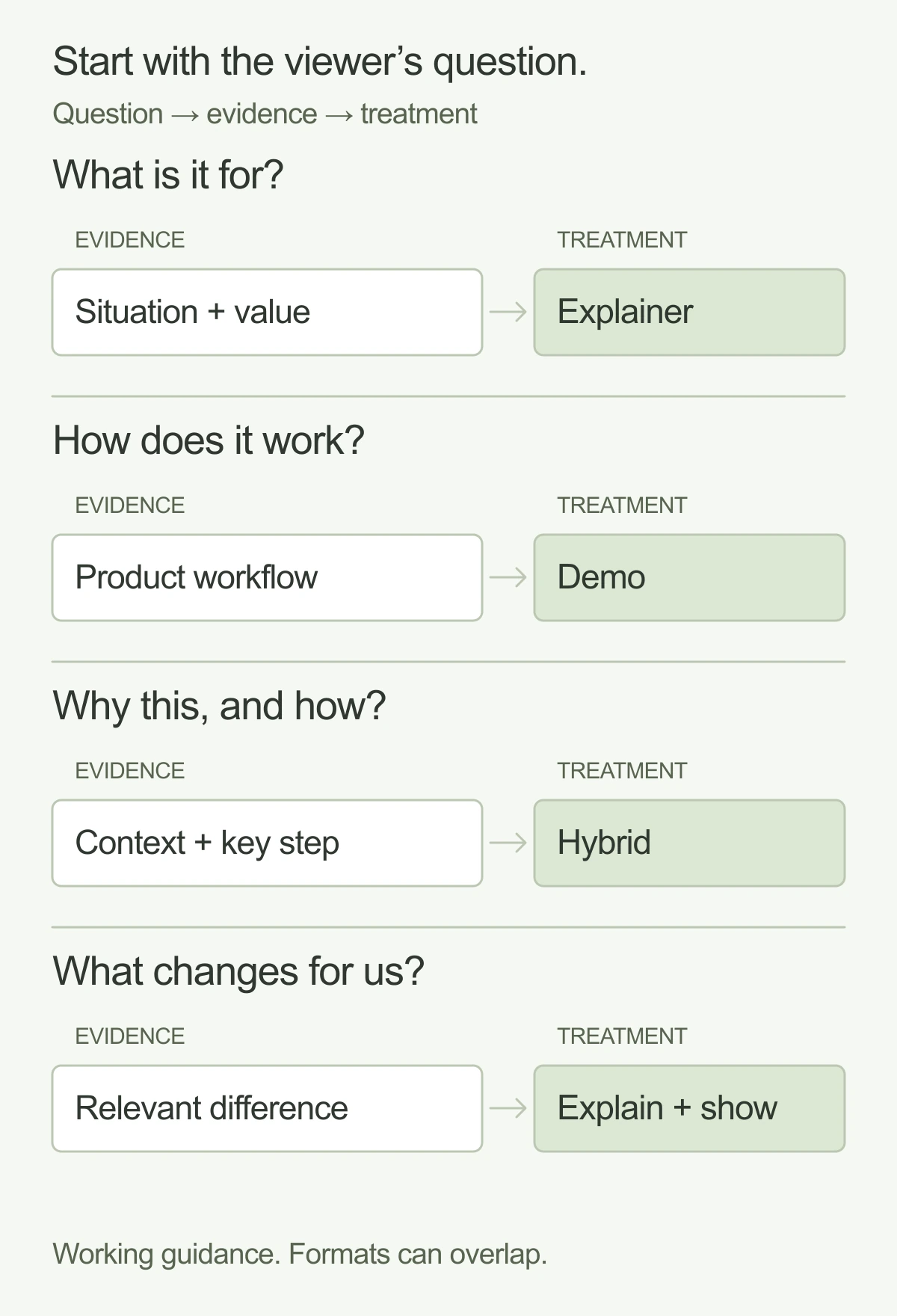
Use the table as a planning aid. The situations can occur at different points in a buying process, so avoid assigning a format to one funnel stage automatically. A new buyer can want product evidence immediately, while an existing account can need an explanation of a new capability.
Swipe or scroll to compare the columns.
| Viewer question | Required evidence | Useful treatment | Inputs needed |
|---|---|---|---|
| What problem does this help us solve? | A clear connection between the situation and the product’s role | Explainer | Agreed audience, accurate value statement, visual story |
| How does this workflow happen in the product? | Visible actions and meaningful state changes | Focused product demo | Verified workflow, approved interface, safe sample data |
| Why should I care, and can I see it working? | Brief context followed by product evidence | Hybrid | One audience question, selected workflow, agreed transitions |
| What exactly changes for our existing team? | The relevant difference and its practical effect | Focused explanation with demonstration where useful | Current and proposed behavior, approved claims, update owner |
Ask whether the required proof is available before settling on the treatment. A beautiful abstract sequence cannot establish how a real interface behaves. A screen recording can show behavior but may still need context to explain why that behavior matters.
Choose the running time around the explanation, placement, and viewing conditions. There is no universal ideal length in this comparison. Once a script exists, remove steps that do not help answer the agreed question and check whether the remaining sequence is understandable.
Write a brief before choosing the production approach
Record the viewer, unanswered question, evidence needed, and next step. Then identify who can approve the product story. A marketing approver may own the message while a product owner confirms that the demonstration is accurate.
List the screens and data available, permissions to use them, and any unfinished features. Separate shipped behavior from proposed behavior. If a concept is appropriate, agree how it will be labeled in the video and accompanying copy.
Describe the actual placements: a website section, a campaign page, an event display, or another approved destination. Agree the required sizes and versions with the people responsible for those placements. Verify current delivery specifications when a platform is chosen, rather than assuming one export fits every use.
If the video belongs in a website redesign, include its page job and supporting content in the redesign plan. A video cannot be assessed separately from the headline, product explanation, and next action surrounding it.
Copy the video decision brief
Product video decision brief
Viewer and situation: ____________________
Unanswered question: ____________________
Required evidence: ____________________
Treatment (explainer / demo / hybrid): ____________________
Product workflow and claims to verify: ____________________
Approved screens, data, and permissions: ____________________
Placement and required formats: ____________________
Sound, captions, descriptions, transcript, player: ____________________
Next step for the viewer: ____________________
Approver: ____________________
Update owner and review trigger: ____________________
Download the video brief (.txt)
Use the creative brief guide when you need a broader assignment covering the audience, message, deliverables, and review process. This mini-brief keeps the format decision and product evidence visible inside that assignment.
Plan accessibility while the script is still editable
Include accessibility in the production brief. W3C’s media accessibility guidance covers captions, descriptions of visual information, transcripts, and accessible players, with the appropriate approach depending on the media. Decide what the video needs while shaping the script and storyboard.
For a product demonstration, make sure essential visual changes can be understood through the planned description or narration. Captions should convey relevant speech and audio information. A transcript and the player also need consideration; captions alone do not establish that the finished experience is accessible.
Also decide how the video works when sound is unavailable in its intended placement. Review the important labels and supporting copy at the size the audience will actually see. Do not rely on an attractive full-screen preview to judge a small embedded player.
Name who keeps the video accurate
Assign an update owner and a review trigger. A change to the demonstrated workflow, important interface labels, product claim, or destination can make the existing video inaccurate. A different campaign audience may also need a different explanation even when the footage remains technically correct.
Keep approved scripts, source files, screen permissions, and delivery versions organized so a future update has a clear starting point. Agree who checks product accuracy and who approves the revised edit. Treat a new product story as a new scope discussion, rather than assuming every change is a small replacement shot.
The right format is the one that can answer the viewer’s question honestly with the material available. Bring that question and the product evidence to the first conversation. Explore Spring’s motion design work to scope the video your team needs.
And good people.Meet Spring