

A B2B website redesign checklist for the work before design
Agree on buyer needs, content, page structure, and ownership before layouts begin. Use a practical readiness worksheet to turn open questions into a shared plan.
 Words by Spring Studio
TL;DR
- Agree what buyers need to decide and give every launch page a useful job.
- Gather content, requirements, named owners, and evidence before committing to layouts.
- Use the readiness worksheet to expose open decisions and plan editing, handoffs, and launch checks.
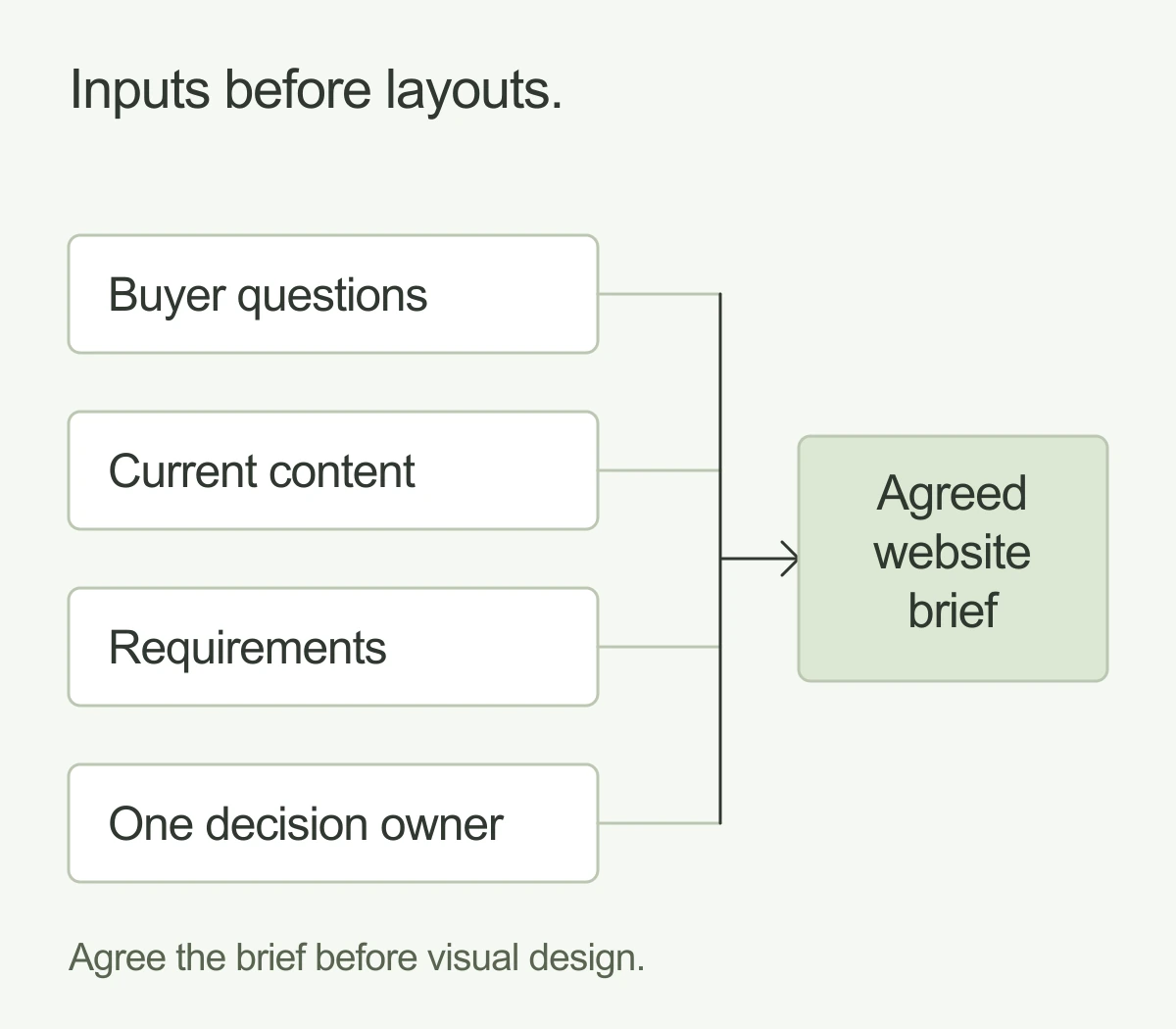
Before a B2B website redesign starts, agree what buyers need to understand, which content and URLs matter, what your team needs to deliver, and who can approve the work. Those decisions give design a useful direction.
A redesign often brings several jobs into one project: clearer positioning, better pages, updated content, a new editing setup, and sometimes a move between platforms. Each job needs an owner and enough information to make decisions. A new visual direction alone cannot settle them.
Use this checklist to prepare the work before layouts begin. The readiness worksheet below turns the decisions into a short plan you can share with your team. These are suggested planning checks, rather than a score or a prediction of results.
Agree on the buyer’s next decision
Start with the people the site needs to help. A marketing leader comparing suppliers may need proof of relevant experience. A technical reviewer may need to understand how a product fits their existing setup. Someone already speaking with sales may need a case study they can share internally.
Choose the priority visitors and write down what they should be able to decide or do. Keep the business goal beside that visitor task. “Generate more qualified enquiries” is a company goal. “Understand whether this service fits our situation and book the right conversation” describes a job for the website.
For each priority audience, answer three questions: What brings them here? What do they need to know before taking the next step? What would make that next step useful for them? Ask sales and customer-facing colleagues for the questions they hear repeatedly.
Make the answers specific enough to guide a page. A useful project objective could be: explain the two service options, show relevant examples, and help visitors choose a next step. You can review a proposed design against that objective. “Make it more modern” leaves much more open to opinion.
Gather evidence from the current website
Collect what you already know before deciding what to replace. Look at the pages people use, the enquiries the team values, the content sales shares, and the questions visitors still ask after reading the site. Include approved customer stories, product images, and useful downloads.
If you have access to analytics and Search Console, review relevant landing pages, search queries, and available enquiry data. Record the time period and any gaps. A visit count by itself does not tell you whether a page helped a buyer, so compare the data with sales and support input.
If tracking is missing or unreliable, say so in the brief. Agree what can be measured from now on. You can still use customer questions and a careful content review to plan the site; you just cannot honestly claim a before-and-after improvement without a suitable baseline.
Save a small set of representative journeys, too. Walk from a campaign link to a service page, from a search result to a case study, and from a contact form to its destination. Note where the explanation becomes unclear or the handoff fails. These observations become questions for the redesign to resolve.
Give every page a content decision
Create a page inventory: a list of current URLs, their purpose, the content owner, and what should happen next. Include campaign pages, resource pages, case studies, and important downloads that may not appear in the main navigation.
Use four simple decisions: retain, improve, combine, or retire. Add a reason for each. A page might need a clearer explanation, newer proof, a different place in the navigation, or no change at all. Two pages may overlap, but check what each helps visitors do before combining them.
Keep content readiness visible. Mark copy as supplied, needs editing, needs writing, or awaiting approval. Record who can approve customer names, quotes, screenshots, and claims. A polished layout will still wait if nobody owns the material inside it.
Separate essential launch content from later additions. If a case study is unfinished, decide whether it is needed for the first release and who will finish it. Avoid adding pages simply to give every keyword its own URL. Each proposed page should have a useful job and enough substance to do it.
Map page jobs before visual layouts
Sketch a simple page map that shows how visitors reach the information they need. For each important page, write its audience question, main explanation, supporting proof, and next action. This is enough to discuss structure without getting pulled into typefaces or image treatments.
A service page might explain the offer, show the work, answer fit questions, and lead to a conversation. A case study can support that explanation with a concrete example. A resource can help someone understand the problem before they are ready to enquire. Connect these pages where the relationship is useful.
Treat this map as a scope document. Agree which page types need a distinct design and which can share a layout. List the pages to populate at launch separately from the reusable templates. That distinction helps everyone understand what is being designed, built, written, and entered into the site.
Write a brief your team can act on
Bring the decisions into one brief. Include the audience tasks, page map, content inventory, approved assets, and what success will be checked against. Add practical requirements and the people responsible for resolving them.
Describe editing and publishing tasks
List what the team will actually do after launch: publish a resource, change a service page, add a case study, or create a landing page. Name who does each task and who reviews it. These requirements help the team decide which page elements should be reusable and what training or documentation will be useful.
If platform choice is still open, use those tasks to compare options. Our guide to website platforms and AI-assisted custom websites covers that decision in more detail. Choose the editing setup around the work your team needs to do.
Trace forms and integrations to their destination
For every form, booking flow, or gated resource, record the required information, the destination, and the person who follows up. Include confirmation messages and any routing rules. A form is only part of the handoff; someone also needs to confirm that the right person receives a usable submission.
List external dependencies such as a customer relationship management system, recruitment tool, booking service, or consent tool. Identify the person who can provide access or answer setup questions. Test with agreed sample data rather than sending real customer information through an unfinished flow.
Agree on review requirements and scope boundaries
Set out accessibility review tasks, such as checking keyboard navigation, visible focus, and form instructions. Agree who will review them and how issues will be recorded. These are examples to include in the project requirements, not a complete accessibility audit or a promise of compliance.
Name the people who contribute feedback and one person who resolves conflicting direction. Record what is included, what the client supplies, what needs further discovery, and what would change the agreed scope. For a reusable starting point, see our creative brief template.
Use a website redesign readiness worksheet
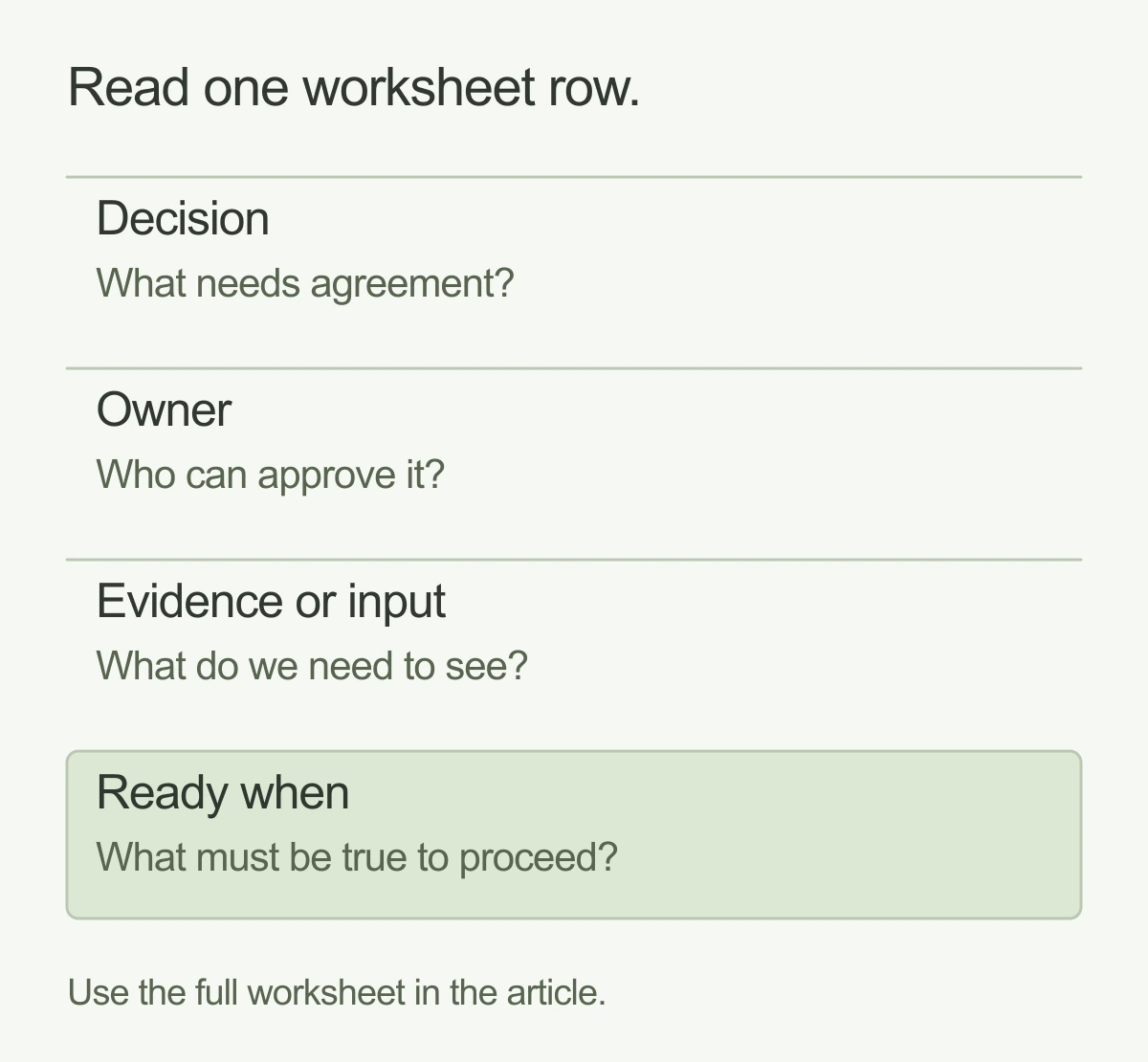
The worksheet below is a suggested starting point. Replace the role names with real people and add links to the inputs. Each row is ready when someone can point to the agreed decision and its supporting material. A meeting or a checked box alone does not establish that.
Swipe or scroll to compare the columns.
| Decision | Owner | Evidence or input | Ready when |
|---|---|---|---|
| Buyer task | Marketing lead, with sales input | Repeated buyer questions and agreed priority audiences | The team can name the question each key page must answer and the intended next step. |
| Page and content scope | Marketing lead | Current URL inventory and proposed page map | Every current and proposed page has a clear purpose or a documented reason to retire it, with its next action agreed. |
| Content approval | Content owner | Content list, approved proof, asset files, and permission checks | Each required item has an owner, an approval state, and an agreed delivery date. |
| Editing tasks | Website owner | Examples of recurring publishing jobs and reviewer roles | The team agrees which tasks editors must be able to complete after handover. |
| Lead handoff | Marketing operations owner | Form fields, routing, confirmation copy, and destination access | An owner can explain the expected journey from submission to follow-up and how it will be tested. |
| Accessibility review | Design and development leads | Agreed requirements, review tasks, and an issue log | Review responsibilities and the process for resolving issues are documented. |
| Launch and URL ownership | Website lead | Release checklist, any URL map, access, and recovery plan | The team knows who checks, releases, monitors, and responds if something fails. |
Editable website redesign readiness worksheet
Project: ____________________
Review date: ________________

Decision: ____________________
Named owner: ____________________
Evidence or input (link): ____________________
Ready when: ____________________
Status (open / needs a decision / ready): ____________________
Next action and date: ____________________

Use one entry per decision. The download includes all seven suggested checks.
Download the readiness worksheet (.txt)
Agree on launch ownership before the build
Give launch planning a place in the brief. Name who approves the release, who has access to the domain and hosting, who checks the important journeys, and who can restore the previous version if needed. Record when those people are available.
A visual redesign does not automatically require changing URLs. If paths or the domain will change, prepare an old-to-new URL map and redirect plan. Google’s site-move guidance recommends mapping URLs, using permanent redirects for moved pages, updating internal references and sitemaps, and monitoring the move. Choose relevant destinations rather than sending unrelated old pages to the homepage. Google also warns that rankings can fluctuate while it processes a move. These checks reduce avoidable problems; they do not guarantee traffic or rankings.
If content is moving between platforms, keep content migration and redirects in the scope. Include important files and downloads in the inventory. Make the team responsible for the move visible alongside the team responsible for the visual design.
Before launch, check the agreed pages on desktop and mobile, submit the important forms with test data, confirm their destinations, and verify the tracking you intend to use. Check that the final site follows the agreed indexing policy. Keep development previews out of search as planned. Document what was checked and who owns any remaining issue.
Plan a follow-up after release. Review enquiries, errors, and available search data, and keep a route for the team to report problems. Record the actual launch date so later comparisons have a clear starting point.
Bring the decisions into a scoped project
You do not need every answer before speaking with a design team. Bring the decisions you have made, the evidence behind them, and the questions still open. Mark an unknown clearly so it can be investigated and included in the plan.
At Spring, a fixed project is scoped and mapped out together. The readiness worksheet gives that conversation something concrete: the work to deliver, who is involved, and what needs to be ready. Explore our website design work if you are preparing your next redesign.
And good people.Meet Spring