
How to give design feedback your team can use
Turn a reaction into a useful review note. Work through practical examples, resolve conflicting comments, and agree what the next version needs to do.
 Words by Spring Studio
TL;DR
- Name the decision this review needs to make before collecting comments.
- Point to the work, explain the concern, and separate evidence from assumptions and preferences.
- Give conflicting comments a decision owner, then record what changes and what still needs an answer.
To give useful design feedback, point to the work, explain what concerns you and why, and say what decision is needed. Connect the comment to the agreed audience and goal. Leave room for the designer to propose how to solve it.
A reaction is a reasonable place to start. “This feels too busy” can signal a real problem, but the team still needs to work out what is competing for attention and what should matter most. A useful review turns that reaction into something people can discuss and act on.
The examples below use a fictional B2B product that helps marketing teams assign and approve campaign work.
Agree what this review is deciding
Start by naming the version, the purpose of the review, and what can still change. A discussion about an early visual direction needs different comments from a final production check. Without that agreement, one person may be choosing a concept while another is proofreading it.
For our fictional campaign, the concern is whether a marketing lead can understand how approvals work. Carry that same question through the project, changing the decision you ask reviewers to make at each stage.
Swipe or scroll to compare the columns.
| Review stage | Decision to make | A useful comment |
|---|---|---|
| Early direction | Which approach best explains the approval problem? | The disconnected comment threads show the problem clearly. Could the next beat show who makes the final decision? |
| Layout draft | Can the proposed page explain the workflow? | The approval step appears below the main action. Could we review a version that makes the handoff visible before asking someone to try it? |
| Final production | Does the approved version work as agreed? | In mobile version 6, the approver label is cut off. Please check it against the approved copy and intended layout. |
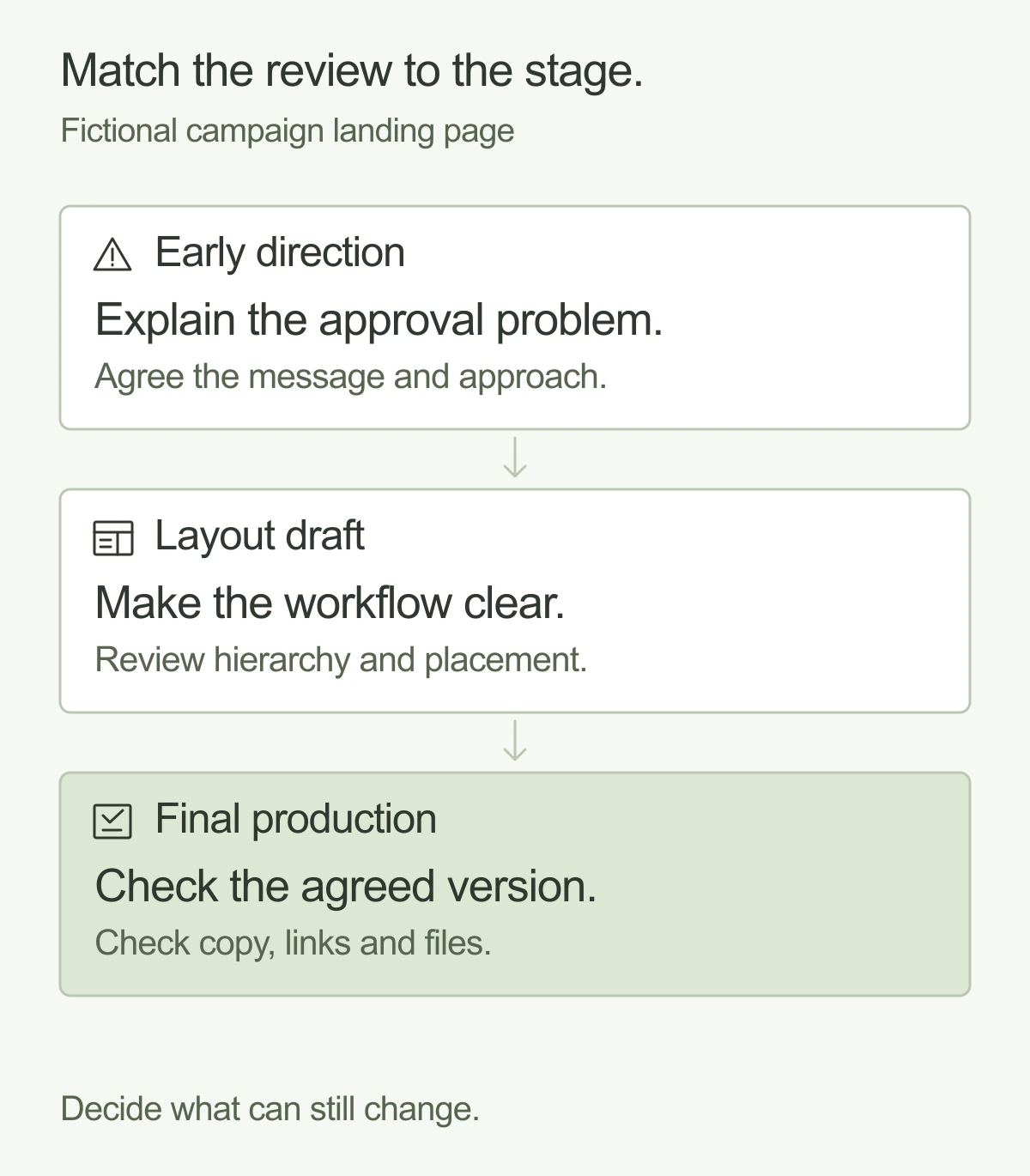
Make the boundaries explicit without shutting down important discoveries. If a final check exposes an inaccurate product claim, stop and resolve it. A new preference about the overall direction is a different conversation: explain what changed and agree its effect on the scope and release.
If nobody can say what the work is trying to achieve, return to the creative brief. A review can test a direction against an agreed assignment; it cannot settle an assignment that the team never agreed.
Write a review note someone can act on
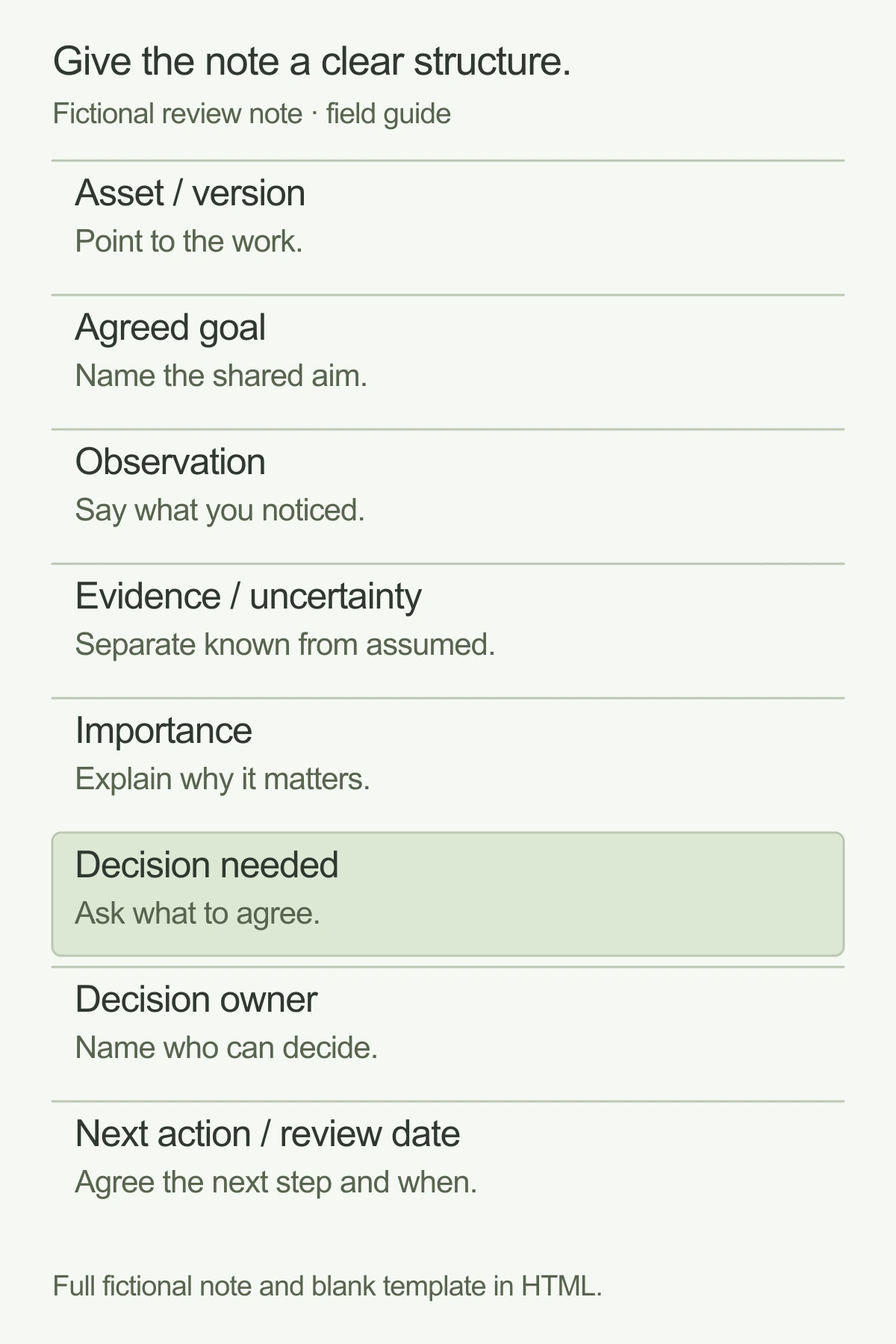
A good note lets another person find the issue and understand why it matters. Include the asset and version, location, concern, evidence or uncertainty, importance, and decision owner. You do not need a long document for every comment. Use enough detail to avoid guessing.
A complete fictional example
Asset and version: campaign landing page, desktop layout v3. Agreed goal: help a marketing lead understand the approval workflow before starting a trial. Observation: the main product image shows the request form, but the approval handoff appears only in a small caption below it.
Evidence or uncertainty: the approved brief names the handoff as an important buyer question. We have not tested whether visitors miss it in this layout. Importance: a question to resolve before approving the layout. Decision needed: how should the page show the handoff? Decision owner: the marketing lead, with a recommendation from the designer.
Next action: the designer will propose an alternative treatment, and the marketing lead will confirm it explains the intended workflow at the next layout review. This note identifies the concern without prescribing a larger image, an animation, or a new section before discussing the options.
Copy the review note
Use this for a substantial comment or a group of comments about the same decision. Mark a missing fact as unknown, and name who will find the answer.
Design feedback review note
Asset and version: ____________________
Agreed goal: ____________________
Observation (where and what): ____________________
Evidence or uncertainty: ____________________
Importance (required / question / preference): ____________________
Decision needed: ____________________
Decision owner: ____________________
Next action and review date: ____________________
Download the review note (.txt)
Turn three vague comments into useful feedback
Landing page: “Make the button pop”
A more useful note might read: “On the campaign page, the trial action and the newsletter action have similar emphasis. The agreed next step is to explore the trial. Could you recommend a clearer hierarchy between those actions?”
The missing information was which action matters and why. The designer can now consider wording, position, contrast, surrounding content, or the need for both actions. You can discuss a specific color preference, too; just distinguish it from evidence that a visitor cannot find the action.
Campaign creative: “It needs more energy”
Try: “This campaign introduces a new product capability. The current image and headline feel similar to our routine updates, while the brief asks for a recognizable launch moment. Could you show another treatment with a stronger sense of occasion, using the approved brand system?”
This explains what the reviewer means by energy. It also leaves a useful boundary: the new treatment should still belong to the brand. If the reviewer has a reference, explain the quality it illustrates rather than asking the designer to copy it.
Presentation: “There is too much on this slide”
Try: “Slide 8 combines the rollout plan, customer quote, and pricing assumptions. In this meeting, the audience needs to decide whether to approve the rollout. Could we make that decision and its supporting information clearer, then move secondary detail somewhere appropriate?”
The concern is the job of the slide. Cutting words might help, but the designer may recommend splitting the information or changing the sequence. If the presentation will also be read without a speaker, include that requirement before removing context.
Separate observations, hypotheses, and preferences
An observation describes something you can point to: “The label is clipped at this width.” A hypothesis suggests an effect you have not established: “A visitor may not connect this illustration with the product.” A preference expresses a judgment: “I prefer the quieter treatment.” All three can belong in a review.
Label them honestly. Do not turn “I find this hard to scan” into “Users will not understand this” without evidence. Explain the concern, consider the available evidence, and agree whether the team needs a design revision, a factual check, or a way to test the uncertainty.
Preferences still matter, particularly when an accountable owner is choosing a brand direction. Make the tradeoff visible. If one treatment feels more distinctive and another makes a product step more explicit, name both qualities and decide which the current asset needs.
Give conflicting comments a decision owner
Collect comments against the same version before asking the designer to act. Group notes about the same issue, keep the original concern available, and identify any contradictions. A consolidated review should clarify the disagreement, rather than quietly deleting a viewpoint.
Suppose sales wants more product detail near the top of the fictional landing page, while marketing wants a shorter introduction. First agree what the visitor needs to decide there. Then ask which details support that decision and which can appear later. The designer can recommend a layout that makes the tradeoff concrete.
Name who will make the final decision and which input they need. Product may need to confirm accuracy; a brand owner may need to check the visual system. A majority vote does not establish whether a page is usable. If evidence is missing, record the uncertainty and choose an appropriate way to resolve it.
Make that ownership clear when working with an outside design team, too. Our embedded team comparison discusses which responsibilities stay inside the business and how ongoing support can fit alongside them.
Close the review with a clear next version
End with a short decision record: what is approved, what will change, which questions remain open, who owns each answer, and when the next review happens. Point to the agreed version so a later comment does not silently become the new instruction.
When new work changes the assignment, return it to the brief and agree the scope. A new audience, product story, or campaign format can require more than a revision. Make that visible before asking the team to fit it into the existing delivery.
For ongoing work, the aim is a useful working relationship: enough shared context for designers to make recommendations and enough clarity for your team to make decisions. Explore Spring’s design services if you need ongoing design support alongside your team.
And good people.Meet Spring