
How an AI-powered design agency works
Senior designers. AI-assisted workflows. Human decisions. See how responsibilities can work from the first brief through review and handoff.
 Words by Spring Studio
TL;DR
- Ask what an agency means by AI-powered and which people are responsible for the finished work.
- Map decisions, optional AI assistance, human checks, and client approvals for a real assignment.
- Agree information handling, deliverables, capacity, release responsibility, and handover before work starts.
In a human-led AI-powered design agency, AI assists parts of the work while people set the direction, make decisions, and review what reaches the client. The label is used in different ways. It can describe an AI-assisted delivery process, or an agency that designs AI products. Ask which service the agency means before comparing proposals.
For a marketing team choosing a design partner, the useful question is who takes responsibility for the finished work. A generated concept is one input. Someone still needs to understand the audience, choose the direction, resolve details, and decide whether the result is ready to use.
Start with the design work you need
List the work before comparing tools. Your team might need a brand system, a marketing website, product interfaces, launch motion, or a set of campaign assets. The deliverables, review needs, and technical constraints differ across those jobs.
Ask what you will receive and who will use it. “A landing page” could mean a visual concept, editable design files, a built page, or an approved release connected to a working form. An AI-assisted design workflow should make those responsibilities clear.
Tool choice belongs inside that scope. A provider might use AI to explore layouts, draft copy alternatives, write code, or make a visual study. Those are possible forms of assistance, not a checklist every agency follows or proof that every project needs generated material.
Follow one job through a human-led workflow
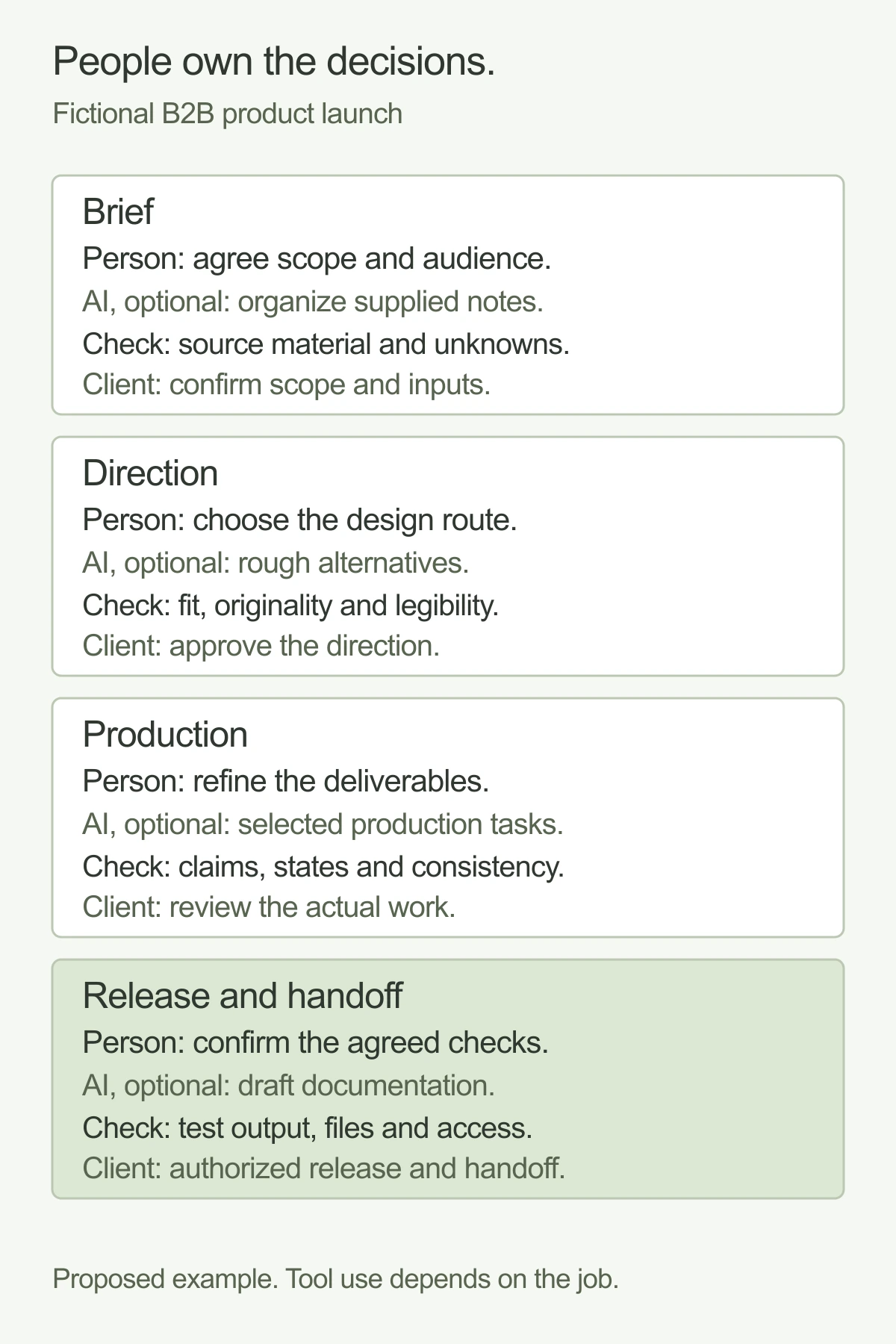
Imagine a fictional B2B company preparing a product launch. It needs a landing page, a short motion clip, and sales slides. The product team has an approved feature description, but the campaign message and visual direction are still open.
Here is one way to assign the work. The same person may own several decisions; ownership should still be explicit.
Swipe or scroll to compare the columns.
| Step | Senior person's decision | Optional AI assistance | Human check | Client approval or handoff |
|---|---|---|---|---|
| Brief | Agree audience, deliverables, constraints, and what success means for this assignment | Organize supplied notes into questions and a draft outline | Check the outline against the source material and identify unknowns | Client confirms scope and supplies missing product information |
| Direction | Choose the message and visual route worth developing | Produce rough alternatives for discussion | Judge fit, originality, legibility, and consistency with the brief | Client approves a direction with the decision recorded |
| Production | Refine the page, motion, and slides into usable work | Assist with selected layout, code, image, or text tasks | Review claims, assets, interaction states, and consistency across formats | Client reviews the actual deliverables rather than only a concept |
| Release and handoff | Decide whether the agreed checks are complete | Help prepare a draft checklist or documentation | Test the real output and verify access, files, links, and relevant behavior | Authorized person approves release; team receives the agreed files and instructions |
Brief and direction
In this fictional launch, the marketing lead needs product input before approving claims. The designer can explore a visual direction with the information available, but should identify any unverified messages. AI-generated wording does not make a product claim true.
The person leading design should explain why a route suits the audience and assignment. Showing many alternatives without a recommendation leaves the client to do the design direction themselves. A useful review narrows the choice and records the decision.
Production and checks
Once the direction is agreed, the team applies it across the deliverables. The landing page may need responsive states and a working form. The motion clip needs readable timing and exports for its agreed placements. The slide deck needs layouts that the sales team can edit without rebuilding every slide.
The appropriate checks follow the medium. For a built page, review keyboard use, layout on relevant screens, links, forms, and the release process. For an image, inspect the actual exported file for visual errors and suitability. For a claim, check the supplied source. A tool completing a task does not replace those checks.
Approval and handoff
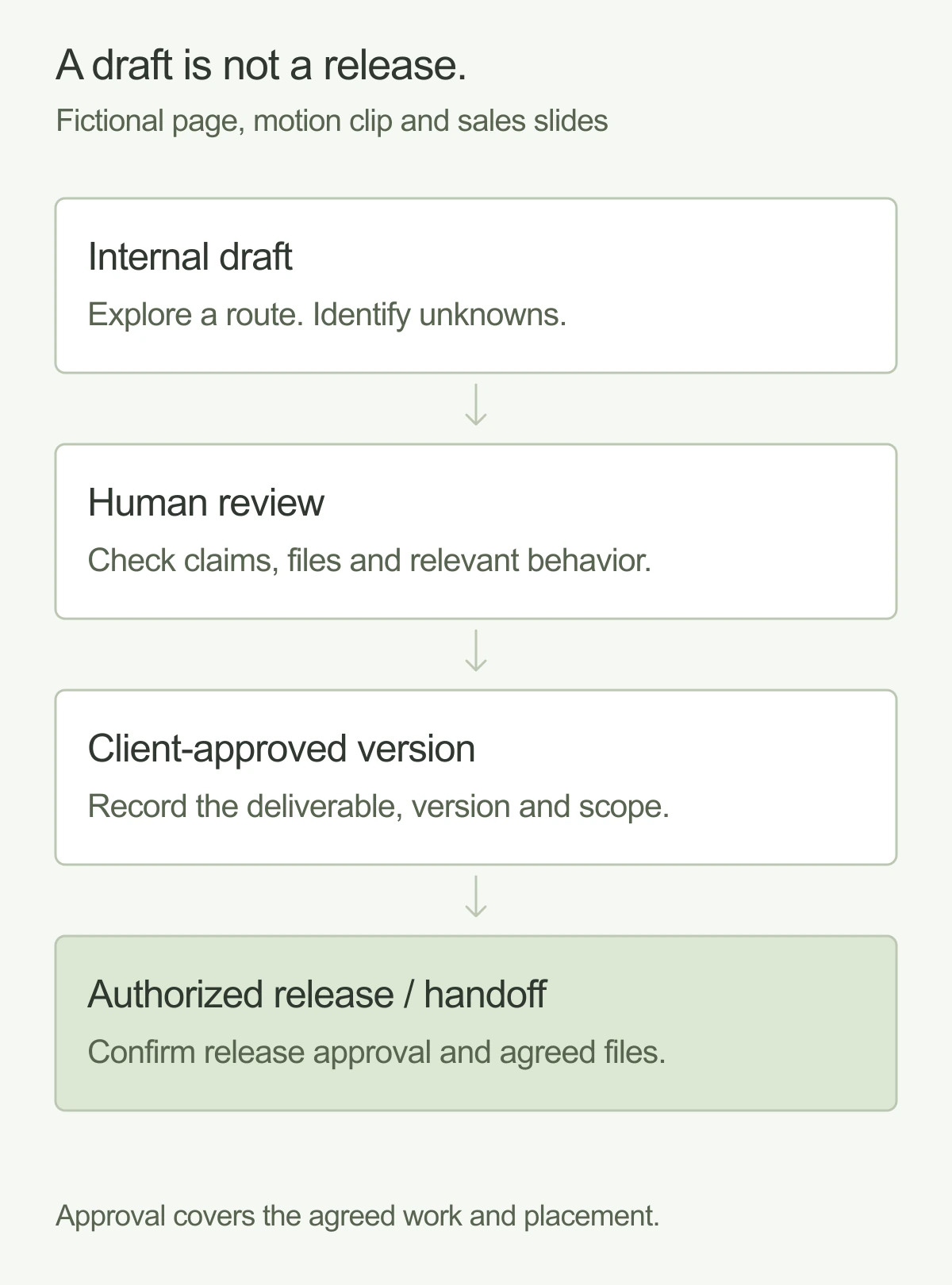
Separate an internal draft from a client-approved version and a released version. Record which deliverable the approval covers, including the placement or format. Approval of a slide concept does not authorize publishing an unfinished website.
At handoff, confirm the editable files, accounts, instructions, and support agreed in the scope. Ask about any third-party assets or licenses separately.
Ask how your information will be handled
Before sharing private material, ask which tools may receive it, what the provider permits those tools to process, and what rules apply to retention and reuse. Ask whether a task can be completed with public or fictional material when sensitive input is unnecessary.
These are questions to resolve with the provider, not assurances that follow from an “AI-powered” label. The answer can vary by tool, account configuration, contract, and type of information. Agree the boundary before supplying customer data, unreleased product details, or confidential documents.
It is also useful to ask how the team separates supplied facts, generated suggestions, and approved copy. That distinction gives reviewers a practical way to challenge an idea without losing track of the source.
Compare accountability as well as output
Ask to see how a representative deliverable moves from brief to approval. Use a realistic request and discuss where a senior person makes a decision, where AI might assist, and what happens if the output is wrong or incomplete.
A strong proposal should make room for revision and define the person's responsibility for it. Evaluate the actual scope, communication, and deliverables. “AI-powered” alone tells you neither the price nor the quality, staffing, or turnaround of an engagement.
Copy these questions before choosing an agency
- Who leads design and who checks the work before I see it?
- Which deliverables, formats, and implementation tasks are included?
- Where might AI assist, and which decisions remain with the team and with us?
- What information can enter the proposed tools, and what needs permission first?
- How are factual claims and third-party asset rights checked?
- What does a review cover, and who can authorize release?
- Which editable files, accounts, and instructions will we receive?
- How do capacity, priorities, revisions, and future updates work?
Ask for specific answers in the proposal or handover plan. A general promise of human oversight is less useful than knowing who checks the work and what they check.
Choose the engagement around the work
A fixed project can suit a defined set of deliverables that you scope and map out together. Embedded ongoing support can suit a changing queue of design needs. Neither description automatically means unlimited parallel work; agree capacity and how priorities are chosen.
Spring Studio is a senior design team working alongside yours, with fixed projects and embedded support across brand, websites, products, motion, and marketing design. We use AI-assisted workflows with human direction and review. Agree the deliverables and review process for your particular assignment.
Explore Spring's design services and bring a real upcoming request. It gives both teams something concrete to scope, direct, and review.
And good people.Meet Spring